

A month-end close checklist works when every task carries a named owner, a due date, and required evidence, and no period locks without reviewer sign-off. That structure produces an accurate trial balance and a management package the reviewer can actually defend. The next step is simple: pull the checklist template below into Excel or Google Sheets, assign owners today, and set your first close calendar this week.
TL;DR:
- Clear ownership, documented calendar, and attached evidence are essential to prevent errors and ensure a defect-free month-end close.
- Reconciliation accuracy depends on recording every transaction, including invoices, bills, payroll, and payment deposits, before reconciliation begins.
- Consistent and documented adjustments, supported by source calculations, are critical to defend entries during audits and avoid disputes.
- Sign-off on reviewed accounts, thorough flux analysis, and evidence-backed reconciliations help confirm the correctness of financial statements before reporting.
- Automating bank feeds, recurring journal entries, and integrations with payment processors can significantly accelerate the close process and reduce manual errors.
Month End Close Checklist: The Full Copy-and-Use Version
A close checklist only works if it maps to the actual sequence of work: prep, capture, sub-ledger tie-outs, adjustments, reconciliation, review, and lock. Skip a phase, and you’re not closing faster, you’re closing wrong. AICPA guidance points to three non-negotiables that separate a real close from a rushed one: named account ownership, a documented calendar, and evidence attached to every reviewed item.
Here’s the phase-by-phase structure, built so you can drop it straight into a spreadsheet with columns for owner, due date, definition of done, evidence required, and reviewer sign-off.
Phase 1: Pre-close prep
- Cutoff dates confirmed and published to all department owners
- Bank and payment processor feeds verified as connected and current
- Payroll register deadline confirmed with HR/payroll provider
- Chase list sent for outstanding invoices, receipts, and expense reports
Phase 2: Capture and post transactions
- All customer invoices for the period posted; payments applied
- Vendor bills entered; credits and returns applied
- Payroll register reviewed and posted to the general ledger
- Merchant and payment processor deposits matched to gross sales, with fees isolated
Phase 3: Sub-ledger close and tie-outs
- Bank accounts reconciled to statement balance, zero unexplained variance
- Credit card statements tied out, personal or disputed charges flagged
- Accounts receivable sub-ledger matches aging report total
- Accounts payable sub-ledger matches vendor statement balances
- Fixed asset rollforward updated for additions, disposals, and depreciation
- Inventory counts reconciled to perpetual records, variances investigated
Phase 4: Adjusting entries
- Accrual entries posted for unbilled revenue and unrecorded expenses
- Prepaid expense amortization posted per schedule
- Depreciation and amortization entries posted and tied to fixed asset schedule
- Reclassification entries cleared from suspense accounts
Phase 5: Review and reconciliation checks
- Full trial balance pulled and reviewed for unusual balances
- Flux analysis run against prior month and prior year
- All reconciling items under a defined dollar threshold cleared or documented
- Reviewer sign-off obtained on every account owner’s work
Phase 6: Reporting, lock, and archive
- Management package assembled (P&L, balance sheet, cash flow statement)
- Period locked in the accounting system
- Supporting documentation archived for the period
Every task needs a definition of done that goes beyond “task complete.” For a bank reconciliation, done means the reconciled balance matches the statement to the penny, with a signed reconciliation report attached, not just a checked box. FloQast’s checklist guidance frames this as the difference between a checklist that tracks activity and one that actually prevents errors from reaching the financials.
Evidence required is the column most teams skip, and it’s the one that matters most during an audit. A bank reconciliation needs the statement PDF and reconciliation report attached or linked. An accrual needs the supporting calculation, whether that’s a vendor invoice received after cutoff or a usage-based estimate with the formula shown. The IRS’s recordkeeping standards exist for tax reporting, but the same discipline, organized documentation tied to every recorded figure, is what keeps a close audit-ready year-round.
Build an exceptions log as a separate tab. Any item that can’t be resolved by the close deadline gets logged with the dollar amount, the reason it’s open, the owner, and a target resolution date.
How Do You Prepare Before the Period Even Ends?
Pre-close work happens before day one of the close, and it’s where most delays actually originate. A late invoice or an unposted expense report on day three of the close isn’t a close problem, it’s a pre-close problem that surfaced too late to fix cleanly.
- Define and publish cutoff rules. Set a hard date and time for when transactions stop counting toward the closing period, and distribute it to every department, not just accounting. Sales needs to know when to stop backdating contracts; operations needs to know when expense reports stop counting.
- Confirm your close calendar in advance. Whether you’re running a 5-day or 10-day close, publish the calendar with owner names attached at least a week before period-end, not on day one.
- Verify bank, credit card, and payment processor feeds. Log in and confirm every feed is current before the period closes. A broken bank feed discovered on close day one costs you a full day of manual data entry.
- Check payroll posting windows. Confirm with your payroll provider or internal HR team exactly when the final register for the period will be available. Payroll timing mismatches are one of the most common causes of late closes.
- Send chase lists early. Email department owners three to five business days before period-end asking for outstanding receipts, expense reports, and invoices. A short, specific list gets faster responses than a generic reminder.
None of this replaces the checklist. It’s what makes the checklist executable on schedule instead of aspirational.
What Transactions Need to Be Captured Before You Reconcile?
Reconciliation only works when every transaction from the period has actually been recorded. Reconciling against incomplete data just produces a wrong answer with more confidence behind it.
- Accounts receivable: post every invoice issued during the period, apply every payment received, and flag unapplied cash for research rather than letting it sit.
- Accounts payable: enter every vendor bill and credit memo, then pull an AP aging report and confirm it matches the sub-ledger balance before moving to reconciliation.
- Payroll: pull the final payroll register and verify gross wages, tax withholdings, and employer liabilities all tie to what’s posted in the general ledger. A payroll management guide is worth reviewing if your posting process still involves manual journal entries each period.
- Payment processor deposits: match every batch deposit from Stripe, Square, or a similar processor to the underlying gross sales, and isolate processing fees into their own expense line rather than netting them against revenue.
Skipping any one of these doesn’t just delay the close, it produces reconciliations that look clean but are wrong, which is worse than an obviously incomplete close because nobody catches it until later.
How Do You Run Sub-Ledger Reconciliations Without Missing Anything?
Every sub-ledger reconciliation needs the same backbone: a clear starting balance, a clear ending balance, and documented evidence explaining every difference between them.
- Bank and credit card reconciliations: tie the ending book balance to the statement balance exactly. Outstanding checks and deposits in transit are the only acceptable variance, and both need to be itemized, not lumped into a plug.
- Accounts receivable: reconcile the sub-ledger total to the aging report, clear or document every unapplied cash item, and log customer disputes with the amount and expected resolution date.
- Accounts payable: pull vendor statements for your largest suppliers and confirm balances match, which is also your best defense against duplicate payments.
- Payroll liabilities: confirm withheld taxes and benefits deductions match what’s actually been remitted, since a mismatch here often means an unfiled payroll tax deposit.
- Fixed assets: update the rollforward for additions and disposals, then confirm the depreciation posted for the period matches the schedule exactly.
Pro Tip: Treat any reconciling item that’s been open for two consecutive months as a process failure, not a timing issue. Recurring reconciling items almost always point to a broken feed, a missing approval step, or a vendor who needs a standing account, not a one-time fix. A bookkeeping cleanup process is often what’s needed when reconciling items keep reappearing month after month.
How Should You Calculate and Document Adjusting Entries?
Adjusting entries are where most disputes with auditors and reviewers actually happen, because the underlying judgment call is rarely documented well enough to defend later.
- Accruals need a stated basis, not a guess. If you’re accruing for a service received but not yet billed, attach the vendor’s quote, contract, or usage data showing how you arrived at the number.
- Prepaid amortization should run off a schedule set up when the prepaid was first recorded, so the monthly entry is a lookup, not a recalculation.
- Depreciation and amortization post directly from the fixed asset rollforward, never as a manual estimate, to avoid drift between the sub-ledger and the GL.
- Reclassifications clear suspense accounts before the trial balance goes to the reviewer. A suspense balance at review time signals unfinished work, not a rounding error.
Every adjusting entry needs support attached in the accounting system, whether that’s a PDF, a spreadsheet calculation, or a link to the source document, plus a reviewer’s initials confirming they checked it against that support. Reversing entries for accruals should be scheduled automatically for the following period so nobody forgets to reverse a prior estimate once actual figures post.
How Do You Know the Numbers Are Actually Right Before You Report Them?
A trial balance that balances isn’t the same as a trial balance that’s correct. Balance is arithmetic; correctness requires review.
- Pull the full trial balance and scan for accounts with unusual balances, negative amounts where you’d expect positive, or accounts that moved without an obvious cause.
- Run flux analysis comparing the current period to both the prior month and the same month last year, and document an explanation for any account that moved more than a set threshold, often 10% or a fixed dollar amount, whichever your team defines.
- Confirm every reconciliation carries evidence and reviewer sign-off before the trial balance goes further. A false close happens when a task is marked “done” without the supporting documentation to back it up.
- Assign a clear sign-off matrix: staff accountant reconciles, senior accountant or controller reviews, CFO or partner approves the final package. Each role should be distinct, not one person checking their own work.
What Goes Into the Final Reporting Package Before You Lock the Period?
The reporting package is the deliverable everyone actually sees, so it needs to be complete and consistent every month, not assembled from scratch each cycle.
- Include the profit and loss statement, balance sheet, and cash flow statement, along with two or three KPIs your leadership actually tracks, such as gross margin or days sales outstanding.
- Lock the period in your accounting system once the reviewer approves it, and maintain a change log for any post-lock adjustment, since unrestricted edits after lock defeat the purpose of locking at all.
- Archive every reconciliation, journal entry, and reviewer note tied to the period. The IRS’s recordkeeping requirements apply to tax reporting specifically, but the same archive doubles as your audit trail for financial statement reviews.
What Does a 5-Day Versus a 10-Day Close Calendar Look Like?
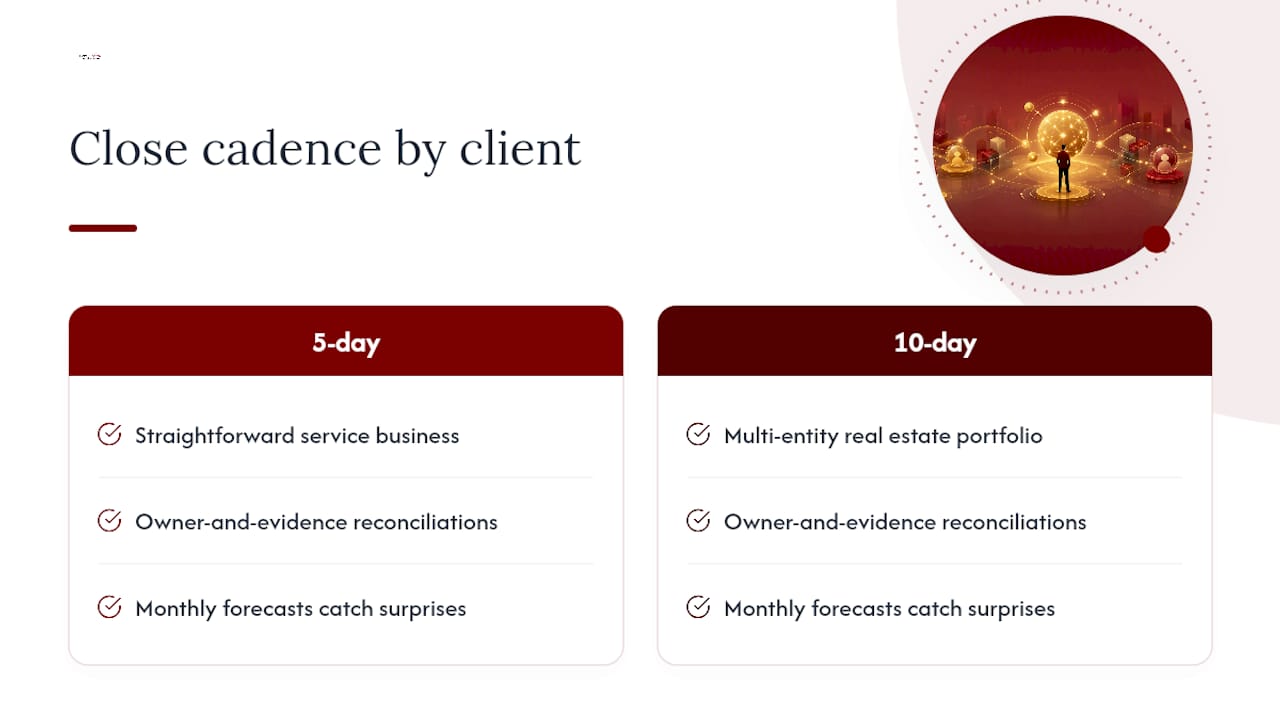
A 5-day close works for businesses with clean automated feeds and few manual adjustments. A 10-day close fits businesses waiting on vendor invoices, complex revenue recognition, or multi-entity consolidation. Sample close calendars from practitioner guides typically map like this:
- Day 1 (5-day) / Days 1 to 2 (10-day): Complete pre-close prep, post remaining AR/AP, close payroll. Owner: staff accountant.
- Day 2 (5-day) / Days 3 to 5 (10-day): Run all sub-ledger reconciliations and flag exceptions. Owner: staff and senior accountant.
- Day 3 (5-day) / Days 6 to 7 (10-day): Post adjusting entries, clear suspense accounts. Owner: senior accountant, reviewed by controller.
- Day 4 (5-day) / Days 8 to 9 (10-day): Pull trial balance, run flux analysis, resolve exceptions above threshold. Owner: controller.
- Day 5 (5-day) / Day 10 (10-day): Finalize reporting package, obtain sign-off, lock the period. Owner: controller or CFO.
If a task consistently lands late, that’s your signal to move from a 5-day to a 10-day calendar rather than forcing a deadline the inputs can’t support.
How Do You Set Up the Checklist Template in Excel or Sheets?
The template only earns its keep once it’s built with real columns and light automation, not just a static list of tasks.
- Use columns for task, owner, due date, status, evidence link, reviewer, and sign-off date, and add a dedicated exceptions tab for open items.
- Apply conditional formatting so overdue tasks turn red automatically and completed, signed-off tasks turn green.
- Use a filter view so each owner can see only their assigned tasks without scrolling the full calendar.
- Add a hyperlink column pointing directly to the evidence file (the bank statement, the reconciliation report, the vendor invoice) so reviewers don’t have to hunt for it.
- Build a simple status rollup using a COUNTIF formula that tallies completed versus outstanding tasks by owner, giving the controller a live view without opening every tab. Xenett’s downloadable checklist is a useful reference for the exact field structure that prevents a false close.
What Actually Slows Down Close, and Where Does Automation Help Most?
Most slow closes trace back to the same three causes: unclear ownership, missing evidence, and late inputs from outside accounting.
- Unclear ownership fixes itself the moment every task has one named person accountable, not a team or department.
- Missing evidence fixes itself by requiring an attached document before a task can be marked complete, not after the fact.
- Late inputs fix themselves through earlier chase lists and published cutoff dates, not through pressure applied during the close itself.
On automation, prioritize the highest-ROI fixes first: reliable bank feeds that pull transactions automatically, recurring journal entries for predictable accruals like rent or insurance, and direct integrations between payment processors and the general ledger. QuickBooks’ guidance on close automation notes that these three changes typically deliver more time savings than a full system replacement.
Pro Tip: Centralize controls (cutoff dates, sign-off matrix, evidence standards) at the controller level, but delegate task execution fully to account owners. Centralizing execution too creates a bottleneck; delegating controls too creates inconsistency.
How Does Parr & Ibarra CPA Approach Month-End Close for Clients?
Close calendars and checklists are tailored to each client’s transaction volume and reporting needs, whether that’s a five-day close for a straightforward service business or a ten-day close for a multi-entity real estate portfolio. The firm’s bookkeeping services apply the same owner-and-evidence structure outlined above, so reconciliations carry documentation from day one instead of getting reconstructed at year-end.
For clients managing their own books, the small business tax calendar helps align close deadlines with quarterly estimated tax dates. Clients using monthly forecasts alongside a disciplined close catch cash flow surprises before they become a scramble, since flux analysis and forecast variance are really the same discipline pointed in two directions.
Why Most Close Checklists Fail Even When Everyone Follows Them
The conventional advice on month-end close focuses almost entirely on speed, shaving a 10-day close to 5 days, automating bank feeds, cutting manual entries. That advice isn’t wrong, but it skips the harder problem: a fast close built on unverified reconciliations just produces wrong numbers faster.
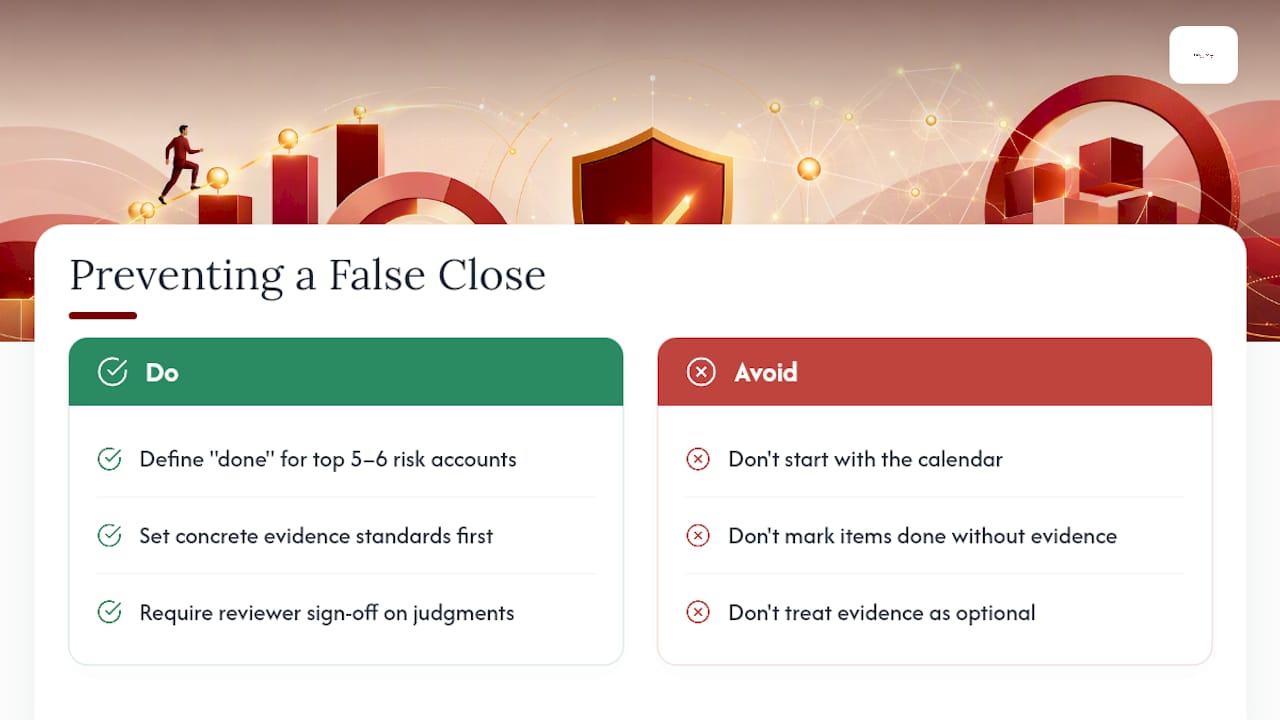
The evidence requirement is the piece most teams treat as optional, and it’s the one that actually prevents the false close. A checklist item marked “done” with no attached bank statement or vendor confirmation isn’t done, it’s a guess wearing a checkmark. Reviewer sign-off matters for the same reason: it forces a second set of eyes onto the judgment calls, not just the arithmetic.
If you’re implementing this checklist for the first time, don’t start with the calendar. Start with defining what “done” means for your five or six highest-risk accounts, usually cash, AR, and any account with manual adjusting entries. Get evidence standards right there first. Speed follows naturally once the definition of done stops being a debate every month.
— Adan
Get a Close Process Built Around Your Business, Not a Generic Template
A downloadable checklist gets you moving, but it doesn’t adjust when your business adds a new entity, switches payment processors, or hits a growth stretch where manual reconciliation stops scaling. A bookkeeping team can build and run the close calendar, handling reconciliations, evidence collection, and reviewer sign-off as part of an ongoing engagement rather than a one-time setup. For business owners who’d rather have a CPA firm own the monthly close than manage a spreadsheet themselves, that’s the practical difference: fewer surprises at tax time, and a management package that’s already audit-ready when you need it. Start with a bookkeeping cleanup if your reconciliations are already behind, or reach out to discuss ongoing bookkeeping and close support tailored to your entity structure and reporting needs.
Sources
- Recordkeeping | Internal Revenue Service
- Best practices for month-end close | AICPA
- Month-end close: Best practices & tips to streamline the process | QuickBooks
- Ultimate Month-End Close Checklist (Free Excel Template) | FloQast
- Month-End Close Checklist (Complete Guide 2026)
FAQ
What Are the Steps in a Month-End Closing Process?
The core steps are pre-close prep, capturing all AR/AP/payroll transactions, sub-ledger reconciliations, adjusting entries, trial balance and flux review, and finally reporting and period lock, each with a named owner and required evidence.
What Does a Typical Month-End Close Process Look Like?
A typical close runs five to ten business days, starting with cutoff confirmation and ending with a locked period and a signed-off management package, with reconciliations and adjusting entries filling the middle days.
How Do I Build a Month-End Close Checklist in Excel?
Set up columns for task, owner, due date, status, evidence link, and reviewer sign-off, then add conditional formatting to flag overdue items and a separate tab to log exceptions above your dollar threshold.
How Do You Automate the Month-End Closing Process?
Start with reliable bank feeds, recurring journal entries for predictable accruals, and direct integrations between payment processors and your general ledger, which deliver more time savings than a full software overhaul. A firm can set up these integrations as part of an ongoing bookkeeping engagement.

